You manage
- Your clinical decisions
- When you make yourself available
- Your consultation fee
- Whether a case is appropriate for online consultation
- Prescriptions and medical advice
- Your professional obligations
Virtual Chamber
Set your own consultation fee and availability. Consult patients through ShifaMate while we provide the technology, payment workflow and consultation tools.
For registered medical practitioners. Profile and credentials are reviewed before activation.
What it is
A ShifaMate Virtual Chamber is an online consultation space for your own professional practice. You choose when you are available and what your fee is. Patients view your professional profile and send a request, and you review and answer in your own window.
Doctors listed in the ShifaMate directory come online at set times to see patients. A Virtual Chamber works differently: patients can send requests from 8:00 am for that day, and you answer them during your own chamber hours. There is no need to sit online waiting.
It does not replace your hospital, clinic or existing chamber. It is an additional practice option that you use when and how it suits you.
You are responsible for ensuring that operating a Virtual Chamber is consistent with any employment, hospital, clinic, diagnostic-centre or chamber agreement that applies to you. ShifaMate does not review or determine the terms of your agreements with third parties.
Who does what
How it works
Fill in the form below with your professional information and BM&DC registration number.
Our team reviews your registration and qualifications. We request supporting documents over WhatsApp afterwards.
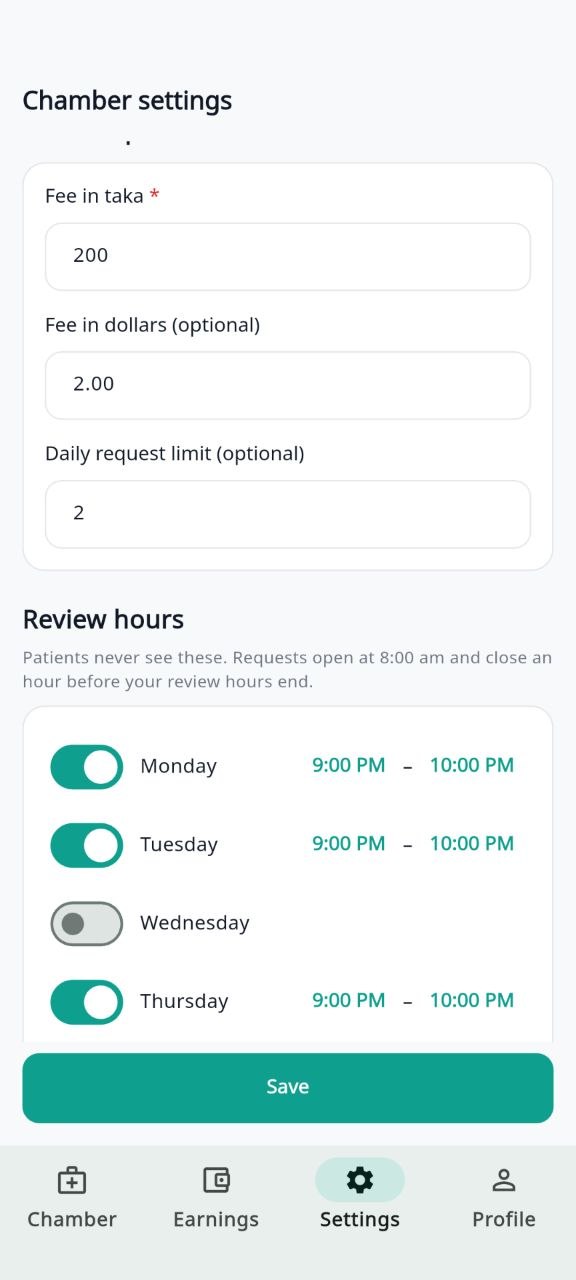
Choose your consultation fee, your daily request cap, and the days you will review requests.
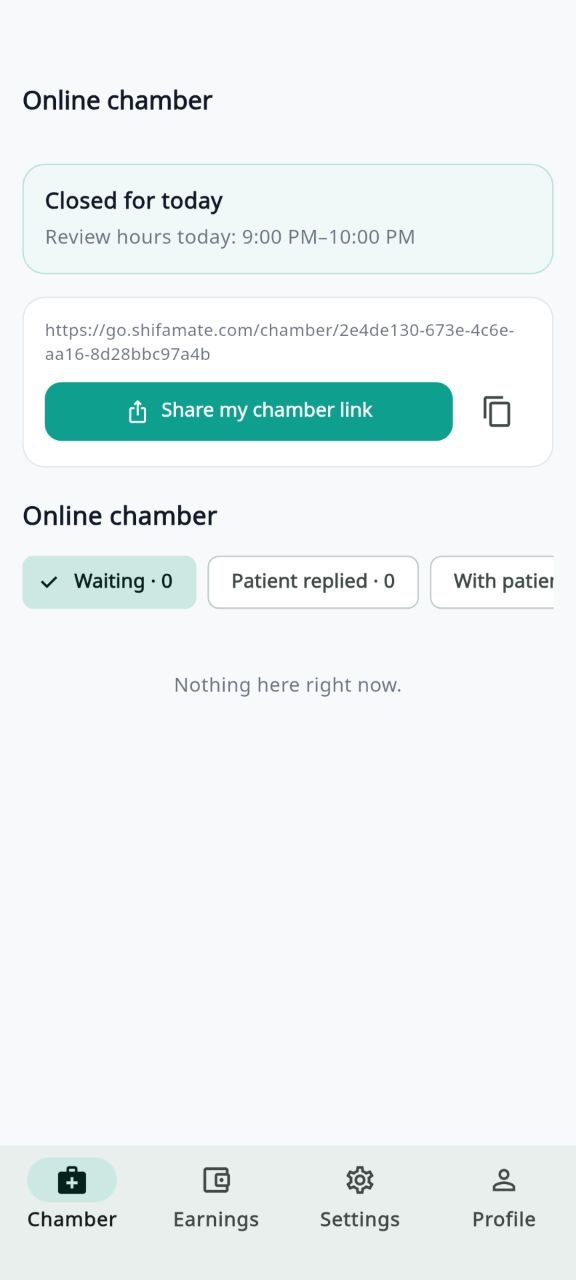
Share your chamber link with patients, and patients browsing ShifaMate can send you a request.
Review and answer in your own window. Earnings appear in the app and are settled according to your doctor agreement.
Your terms
Example only — you set your own fee
Your fee is shown clearly to patients before they send a request. You can also set a separate fee in dollars for patients abroad.
Decide how many requests you will take in a day. Once you reach the cap, no more arrive that day.
Patients can see when you review requests, so they know when to expect a reply. Requests open at 8:00 am and close an hour before your chamber hours end.
Try it first
Open your chamber, choose your hours, and see whether online practice fits your workflow.
After the trial, the applicable ShifaMate service or platform charge and settlement terms apply, as agreed with you during onboarding.
Inside the app
What patients see
Patients send a request from the app
Once verified, your profile may show:
Your personal mobile and WhatsApp numbers are not published on your profile. We use them only to reach you.
Worth being clear about
ShifaMate provides the technology for the consultation. Medical assessment, advice, prescriptions, referrals and the decision about whether online consultation is appropriate remain with the treating doctor. When a patient needs physical examination, emergency care or another form of in-person assessment, advise them accordingly.
ShifaMate provides the Virtual Chamber platform and may make doctor profiles available to people browsing ShifaMate. We do not guarantee any minimum number of patients, consultation requests or earnings. Doctors remain independent professionals responsible for their own practice.
Common questions
A listed doctor comes online at set times, and patients send requests while you are online. With a Virtual Chamber, patients can send requests from 8:00 am for that day, and you review and answer them during your own chamber hours. You can use both.
No. A Virtual Chamber is an additional option alongside your existing practice. You remain responsible for ensuring it is consistent with your employment or chamber agreements.
You set your own consultation fee. You can also set a separate fee in dollars for patients abroad.
Yes. Patients can see when you review requests, so they know roughly when to expect your reply. Requests open at 8:00 am and close an hour before your chamber hours end, so you always have time to clear the queue.
No. We provide the chamber infrastructure and may show your profile on ShifaMate, but we do not guarantee any number of patients, requests or earnings.
Yes. Set a daily request limit in your chamber settings. Once you reach it, no further requests come in that day.
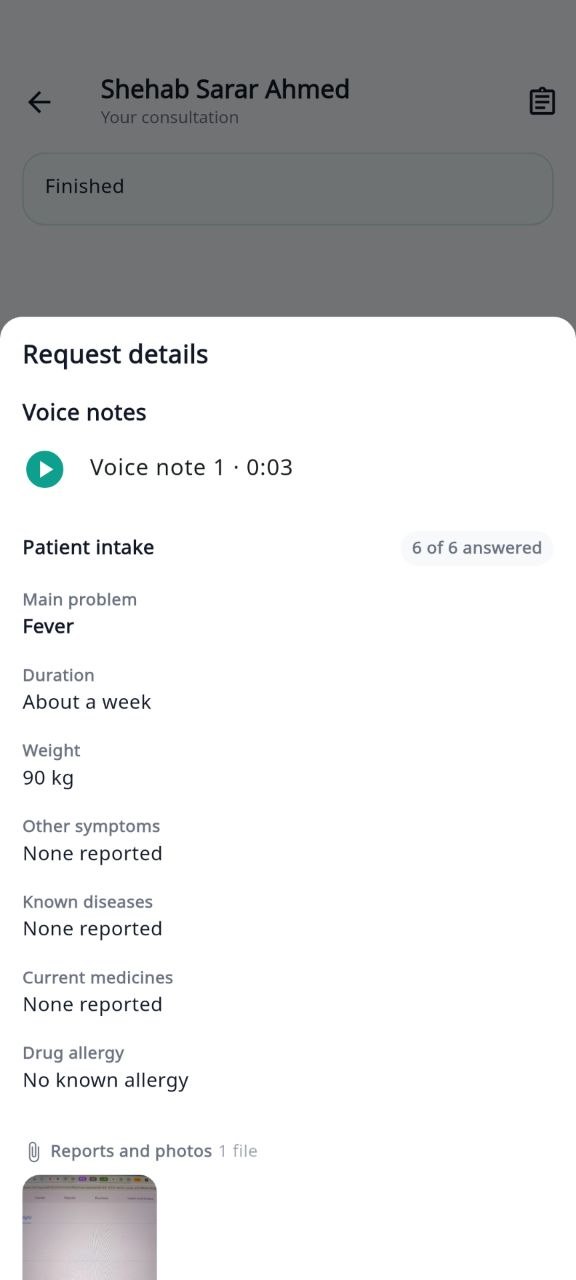
Yes. With the request itself, patients provide their main problem, duration, medicines and allergies, along with photos, reports and voice notes. You see all of it before you open the chat.
Yes. When you need to see or understand more, you can start a video call. It is your clinical decision — a video call is not part of every consultation.
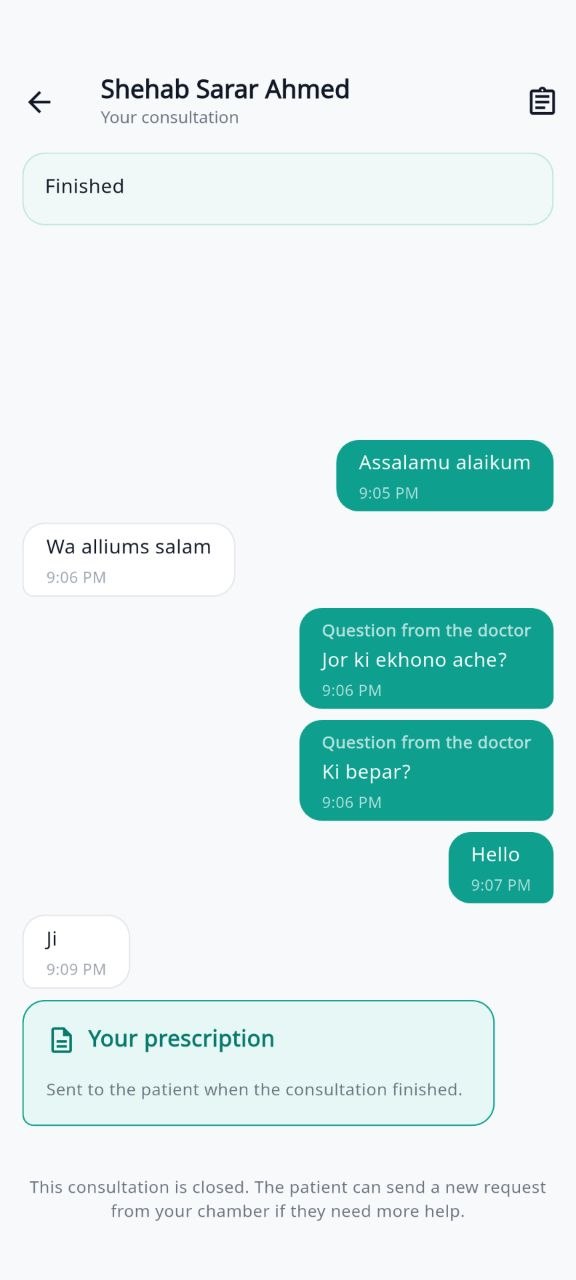
Create a digital prescription in the app when it is clinically appropriate. It reaches the patient when you finish the consultation.
Advise the patient to seek in-person care. Not everything can be handled online, and that judgement is yours.
Your chamber continues. The platform charge and settlement terms are agreed with you during onboarding.
Your BM&DC registration details and certificates for the qualifications you want shown on your profile. Nothing is uploaded with the form — we ask on WhatsApp during review.
Application
Nothing to upload now. We will ask for your certificates over WhatsApp during review.
Questions first?
contact@shifamate.com
WhatsApp: +1 447 902 2477
Applying does not guarantee acceptance. Profiles are published after review and verification.
To read how consultations work see the For doctors page